SupAnn Applications Status
You can activate the SupAnn tab on web applications to turn it into a SupAnn Application.
Go to SupAnn tab and click on “”Add SupAnn status settings” button

You will now see the Status Settings menu to fill
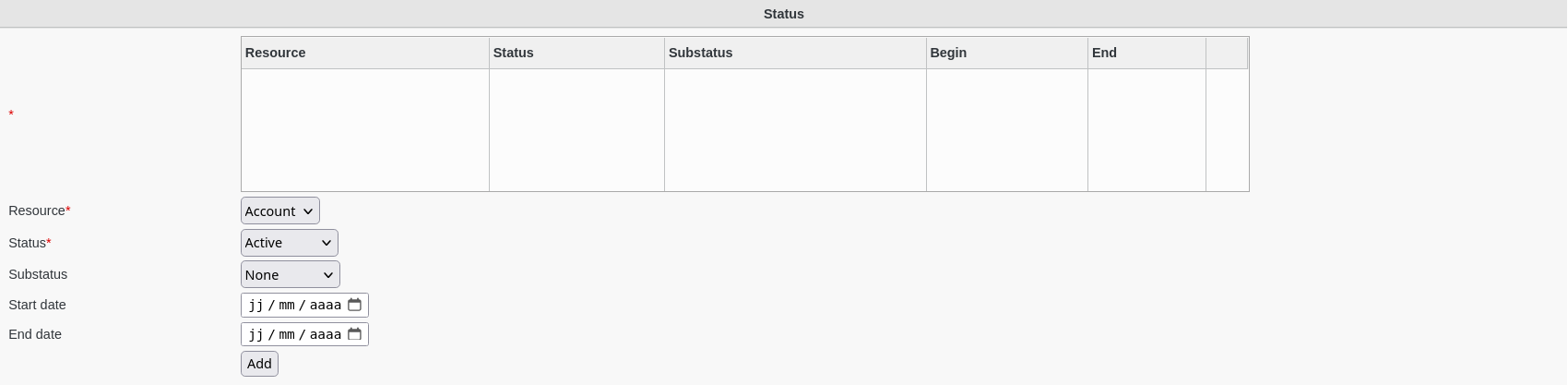
Fill-in the following fields :
Resource : which resource this state concerns (required)
Status : active status (required)
Substatus : substatus
Start date : date this status started
End date : date this status will end
You can also set the start date and end date of the current status for a resource.
Click on “OK”button bottom right to save your settings