Tasks
This page allows to manage Tasks objects
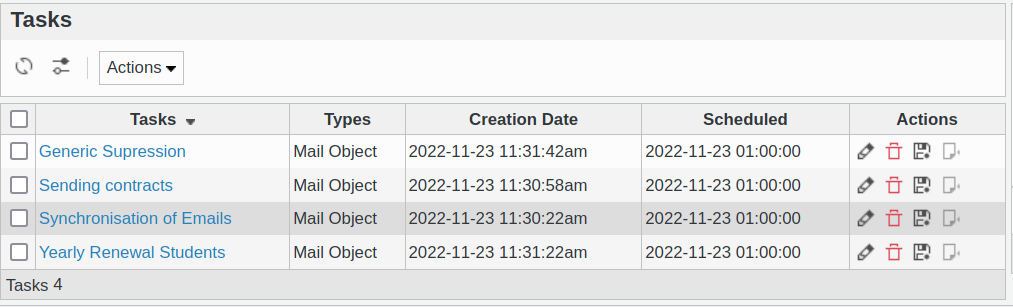
You can create new Tasks easily.
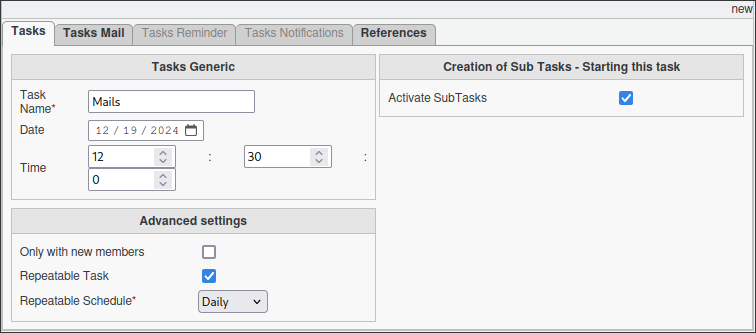
Mandatory settings of a task
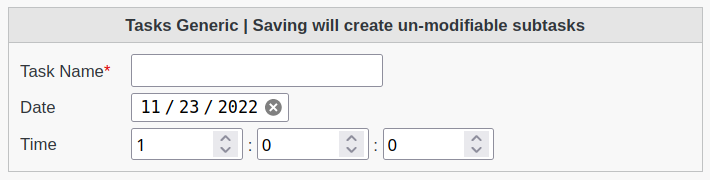
Name: Name of the task
Date: Starting date of the task
Time: Allows the schedule of the tasks to be timed in Hours:Minutes:Seconds format.
Select the type of tasks available.

Acticate Subtasks: Allows the creation of subtasks which will be processed by FusionDirectory Orchestrator.
Within the advanced setting section
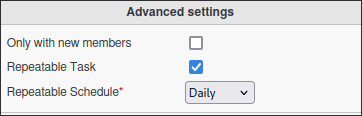
Only with new members: It will only create sub-tasks for new members listed. (Great with dynamic group).
Repetable Task: Repeatable task, allows the orchestrator-client to trigger the execution of the tasks automatically.
Repetable Schedule: The schedule of automatic re-activation of the task.